
How to create an AI training library
Create a training library that you can add documents to and grant to an AI agent.
Sign in first Sign in at app.marketcanopy.com, then follow the steps below. Use the email you signed up with
Open app.marketcanopy.comSteps
Open Training libraries in AI settings and choose Create library.
Under Library details, enter a Name, choose an initial Status, and add an optional Description.
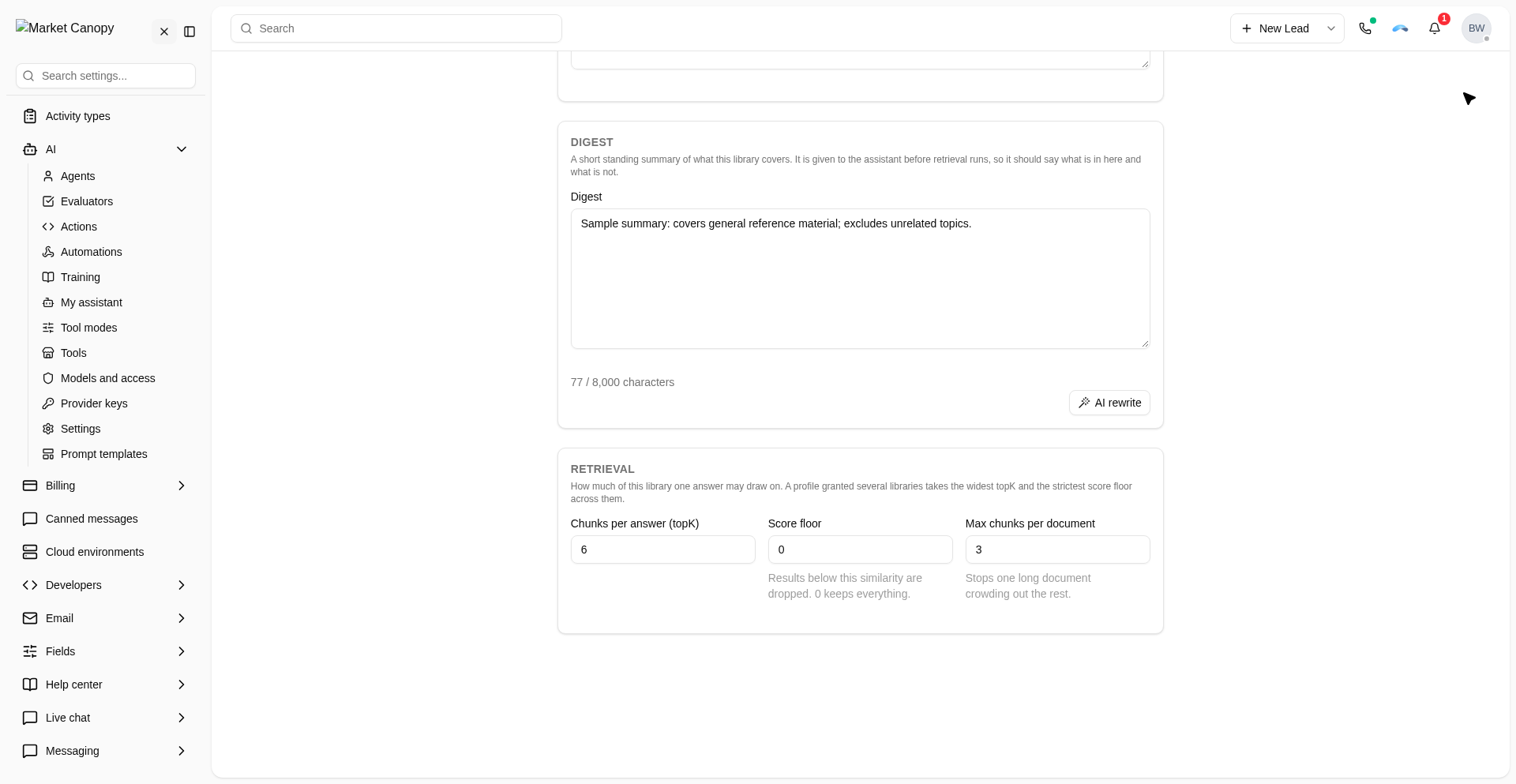
In Digest, write a short summary of the material the library covers and what it does not cover.
Under Retrieval, set Chunks per answer (topK), Score floor, and Max chunks per document.
Choose Create library. The new library page lets you upload documents.
Was this helpful?
← PreviousHow to continue a Canopy chat in the desktop appNext →How to install and sign in to the Market Canopy desktop app
Still need help?
Chat with our support team or send us a message. We reply within one business day.